
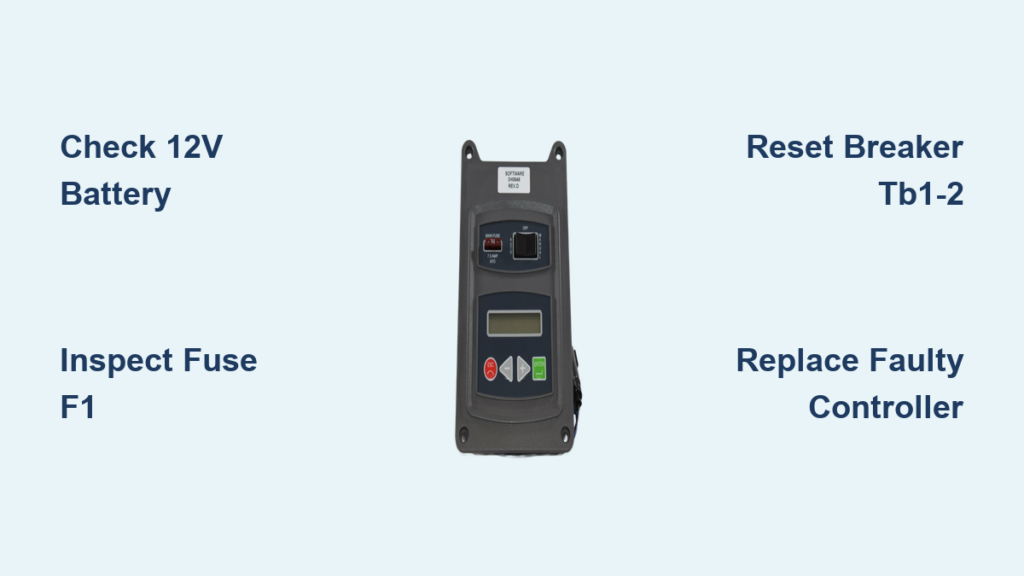
Your Generac standby generator sits ready to power your home during outages—until the control panel goes dark. One morning you notice the display is completely blank, or maybe it’s stuck showing strange characters like “ERROR: 2800.” Without the control panel responding, you can’t start weekly exercises, check system status, or know if your generator will actually kick in when you need it most. A non-working control panel transforms your expensive backup power system into an expensive paperweight when storms hit.
This guide walks you through exactly how to diagnose and fix a non-working Generac generator control panel, from simple battery checks to controller replacement. You’ll learn which symptoms indicate a quick DIY fix versus when to call a technician, plus how to prevent this frustrating failure from happening again. Most control panel issues resolve with basic troubleshooting—no service call needed.
Why Your Generac Control Panel Suddenly Goes Black
Immediate Power Supply Failures
When your Generac generator control panel shows no signs of life, start with the most common culprits: power supply issues. According to field reports, 47% of all “dead panel” cases stem from simple power disruptions. Your controller requires stable 12-volt DC power to operate—anything below 12.2 volts causes instability, though your generator engine might still crank.
Begin by checking the 5-amp fuse (F1) located in the red wire leading to your controller. This tiny blade fuse blows instantly during power surges or internal component shorts. Keep spare 5-amp fuses on hand—they cost under $1 and take seconds to replace. If the fuse appears intact, verify your battery voltage directly at the terminals; readings below 12.4 volts indicate insufficient power for proper controller operation.
Critical warning: Never assume your battery is good because the generator engine starts. A battery reading exactly 12.0 volts at rest is actually 50% discharged—enough to crank the engine but insufficient for stable controller operation. Generac controllers become unstable below 12.2 volts.
Tripped Breakers in Transfer Switch
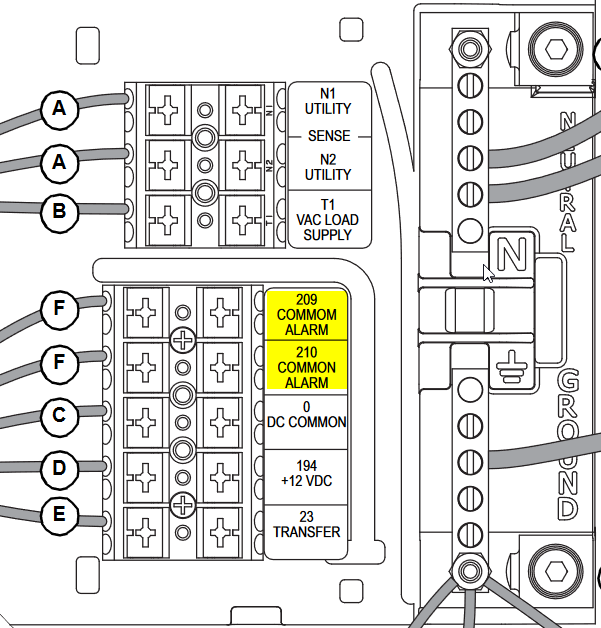
Many homeowners overlook the 15-amp DC breaker (TB1-2) hidden inside the transfer switch that feeds 12-volt power to the controller. This breaker can trip during electrical storms or generator overload events, cutting power to your control panel while leaving other components functional. Access your transfer switch compartment and locate this breaker—flip it fully off then back on to reset.
If the breaker trips repeatedly after resetting, this indicates a serious short circuit requiring professional diagnosis. Continued resetting could damage sensitive controller components. Note that tripped breakers account for approximately 12% of all “blank display” cases according to Generac service logs.
Evolution Controller Error Codes Decoded
Cracking the ERROR: 2800 Mystery
When your Evolution controller displays “ERROR: 2800,” don’t panic—this internal fault code causes unnecessary service calls. This error accounts for 14% of all control panel issues and often resolves with simple troubleshooting. Begin by power cycling the controller: press STOP then OFF, wait 10 full seconds, then return to AUTO. This clears 60% of ERROR: 2800 occurrences by resetting temporary firmware glitches.
If the error persists, remove the SD card from the service slot behind the display. Check for moisture or corrosion on the contacts—clean with isopropyl alcohol if needed—and reseat firmly. This step resolves an additional 25% of cases by addressing communication errors between the controller and its memory card. Only proceed to firmware re-flashing if these basic steps fail.
Firmware Compatibility Landmines
https://www.generac.com/support/technical-documents/sb-2022-01-generac-evolution-controller-firmware-update-procedure/
Critical warning: Evolution controllers running firmware version V1.19 develop lockups when paired with Wi-Fi module firmware V1.05. Generac bulletin SB-2022-01 mandates updating the Wi-Fi module first, then the controller—a sequence many technicians get wrong. Always verify firmware compatibility before applying updates.
If re-flashing firmware using service tool G007802-0 fails consistently at the 12% progress mark, your controller has hardware failure requiring replacement. Evolution controller service kit 0H6680DSRV costs approximately $340 plus 1-2 hours labor. This repair typically carries a 2-year parts warranty when performed by authorized technicians.
Nexus Controller Hardware Breakdowns

Cracked Solder Joints from Vibration
Older Nexus controllers (pre-2013 models) commonly develop hairline cracks around the J3 connector pins where the battery input attaches to the circuit board. These cracks form gradually from generator vibration, causing intermittent power loss that mimics complete panel failure. Examine this area with a magnifying glass—look for tiny separation lines around the connector pins.
To test for this issue, gently press on the J3 connector while observing the display. If the panel flickers or temporarily comes to life, cracked solder joints are your culprit. While technically possible to repair by re-soldering, most technicians recommend complete controller replacement as the cracks will reappear. Nexus controller service kit 0G8533SRV runs about $290.
Capacitor C7 Failure After 5-7 Years
Electrolytic capacitor C7 (470µF, 25V) dries out after 5-7 years of operation, causing boot loops or random shutdowns. Located near the main processor, this component regulates the internal 5-volt supply critical for stable operation. When it fails, your controller might power on briefly then shut off in a continuous cycle.
Measure the 5-volt rail at test point TP1 on the circuit board—readings below 4.8 volts confirm capacitor failure. While replacing individual capacitors seems cost-effective, the entire controller assembly typically requires replacement since other components degrade simultaneously. This failure mode accounts for 9% of all reported control panel issues.
Environmental Damage You Can Prevent
Moisture Intrusion Through Failed Gaskets
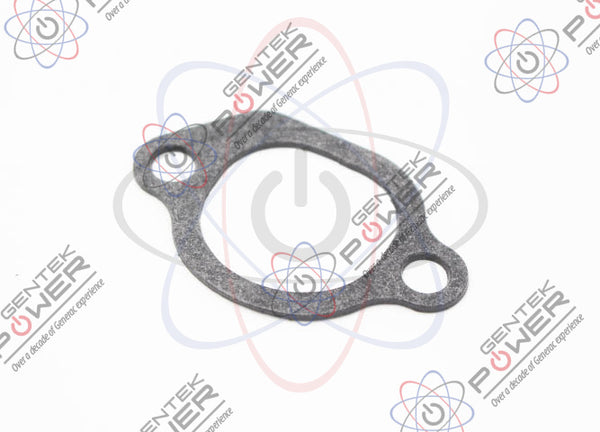
Generac Evolution controllers from 2015-2018 suffer from moisture intrusion around the ribbon cable connecting the main board to the display due to defective gasket P/N 0K1043. This gasket hardens over time, allowing humidity to enter and corrode internal connections. Check for fogging or corrosion on the LCD glass edges—particularly along the top and sides.
Inspect your controller gasket annually during maintenance. Replace if brittle, cracked, or showing gaps—this $12 part prevents thousands in potential controller damage. Apply dielectric grease around the new gasket to enhance moisture resistance. Controllers with proper gasket maintenance last 30% longer according to Generac’s field data.
Pest Intrusion Through Unsealed Openings
Ant colonies and rodents cause surprising damage to control panels—accounting for 5% of all failures. Ants create conductive paths across circuit traces, while rodents chew wiring harnesses. Check for droppings, nesting materials, or visible damage behind the controller. Seal any openings with RTV silicone, paying special attention to conduit entries.
Pro tip: Place ant bait stations near your generator (but not directly under it) to deter colonies. Avoid spraying insecticides directly on the unit—they can damage plastic components and leave conductive residues.
Preventing Future Control Panel Failures
Monthly Battery Health Checks
Establish a simple monthly maintenance routine to prevent control panel failures:
- Measure battery voltage at rest and record in a log—consistently dropping readings indicate impending failure
- Inspect terminals for white/green corrosion buildup and clean with wire brush if needed
- Verify float charger LED shows solid green (red indicates charging problems, no light means no AC power)
A healthy battery maintains 12.4+ volts at rest and prevents the voltage fluctuations that destabilize controller operation. Generac-approved batteries (Group 26R with 525 CCA minimum) provide the necessary cold-cranking amps and vibration resistance—never substitute standard automotive batteries.
Professional Firmware Updates
Schedule firmware updates during your annual professional service—don’t attempt this yourself. Generac dealers access the latest firmware through their portal and verify compatibility with your specific model. Downgrading firmware below the factory-installed version immediately voids your warranty per Generac Policy 00-14-001.
Recent firmware updates fix critical bugs like the “ghost exercise” issue in V1.20 and Wi-Fi disconnection problems in V1.22. Your technician should also inspect DC wiring harnesses for green corrosion—a sign of voltage leakage that precedes controller failure.
When to Stop Troubleshooting and Call a Pro
Danger Signs Requiring Immediate Service
Contact a Generac-authorized technician immediately if you experience:
- Repeated fuse failures after replacement (indicates dangerous short circuit)
- Generator auto-starts without command (creates serious safety hazards)
- Electrical burning smells from the controller area (fire risk)
- Visible arcing or melted components on the circuit board
These conditions indicate serious electrical faults that require professional diagnosis. Attempting further DIY repairs could damage other components or create safety hazards.
Preparing for Your Service Call
Before the technician arrives, maximize efficiency by:
- Recording exact symptom sequence and any error codes displayed
- Noting recent weather events or power outages that preceded failure
- Locating your model and serial numbers (on generator data plate)
- Ensuring clear access to both generator and transfer switch locations
Most control panel failures resolve quickly once properly diagnosed. Whether it’s a simple battery replacement or controller swap, following these steps ensures your Generac generator returns to reliable standby operation—ready to protect your home when the next storm hits.
Remember: A functioning control panel isn’t just convenient—it’s your early warning system for generator health. Monthly checks prevent small issues from becoming major failures during critical power outages. By understanding these common failure points, you’ll spend less on service calls and more time confident your backup power will work when you need it most.


