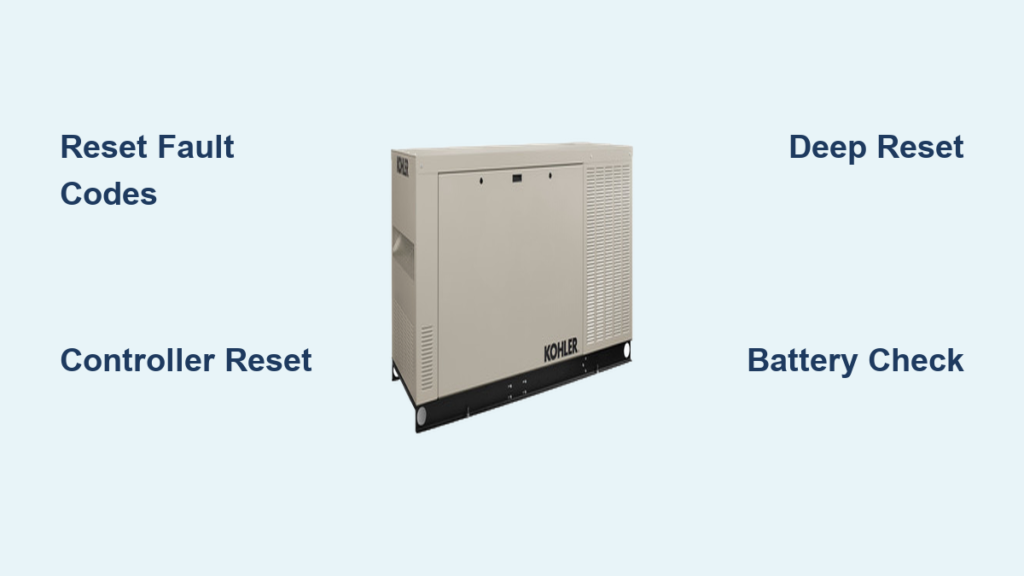
Your Kohler generator suddenly refuses to start after a storm, flashing cryptic error codes while your home sits in darkness. Before panic sets in or you call for costly service, know this: 90% of Kohler generator startup failures resolve with a proper reset. Whether you’re facing persistent fault codes after an outage or controller malfunctions disrupting your backup power, this guide delivers the exact reset sequences for every Kohler model. You’ll learn to clear temporary glitches, restore controller operations, and even perform factory resets—all within 10 minutes.
Unlike generic reset instructions that leave you guessing, this guide targets your specific generator symptoms. We’ll walk you through identifying fault types, executing precise button sequences, and verifying successful resets. Stop wasting money on unnecessary service calls—master these proven reset techniques and ensure your Kohler generator delivers reliable power when disasters strike.
Identify Your Reset Type Immediately
Fault Code Reset vs Controller Reset
Fault code resets clear temporary glitches after fixing the underlying problem. These appear as:
– Low oil pressure alerts (triggered by recent oil changes)
– High temperature warnings (often after extended runtime)
– Over-crank conditions (when battery voltage dips below 12V)
– Battery failure notifications (common after prolonged storage)
– RPM sensor errors (frequently after fuel system maintenance)
Controller resets restore operation when your generator won’t start automatically, exercise schedules fail, or transfer switches malfunction. These reset the RDC2 or DC2 controller itself and require precise timing—hold buttons too short and faults persist; hold too long and you risk unintended factory resets.
Factory resets should be your last resort—they wipe everything including custom settings, programmed exercise schedules, and voltage configurations. Only use this when multiple standard resets fail and you’ve confirmed no persistent mechanical issues.
Execute Quick Resets by Controller Type
RDC/DC Controller Reset
Standard 10-Second Method (90% of residential models):
1. Press and hold OFF for exactly 10 seconds—use a timer as even 1-2 seconds early prevents clearing
2. Release OFF button (display will go blank)
3. Press AUTO within 5 seconds to resume operation
4. Verify display shows “STANDBY” with no fault codes—this confirms success
Deep Reset for Stubborn Issues (when standard method fails):
1. Open generator enclosure carefully—never skip safety glasses
2. Locate the 15-amp control panel fuse (typically labeled “CTRL”)
3. Remove fuse for precisely 30 seconds—critical for memory reset
4. Reinstall fuse firmly (listen for click)
5. Set controller to AUTO
6. Wait 30 seconds for full initialization—do not interrupt
Pro Tip: If display remains blank after deep reset, check battery voltage immediately—below 11.8V prevents controller boot-up.
RES/RESV Series Reset
- Turn main breaker OFF (essential to prevent electrical feedback)
- Press and hold STOP for 5 seconds until display flashes
- Switch controller to OFF position
- Count to 10 slowly—this resets internal capacitors
- Switch to AUTO within 2 seconds of counting
- Turn main breaker ON—generator should enter standby mode in 15 seconds
Warning: Skipping the 10-second wait causes transfer switch errors—never rush this step.
Handle Critical Post-Outage Scenarios
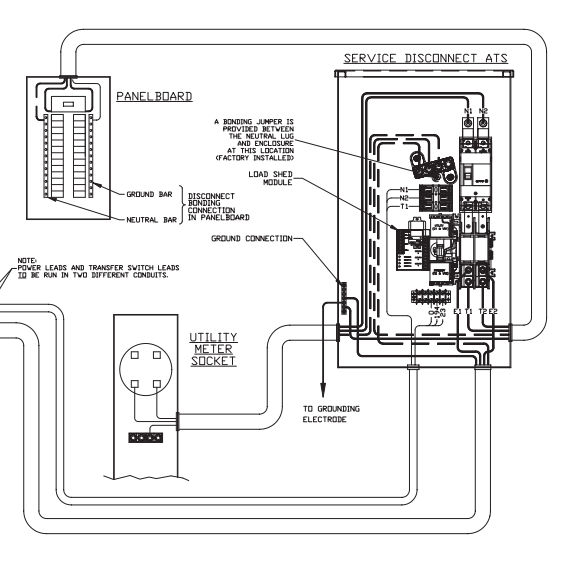
Generator Won’t Stop Running
When utility power returns but your generator keeps running:
1. Immediately check transfer switch position—stuck in “GENERATOR” causes this 80% of the time
2. If stuck:
– Manually move switch to “UTILITY” using emergency lever
– Wait mandatory 5-minute cooldown (generator won’t shut down sooner)
– Unit shuts down automatically after cooldown
Critical: Never force the transfer switch—applying excessive pressure damages internal solenoids.
After Maintenance Service
Always reset these after oil changes or battery replacement:
1. Clear maintenance reminder codes via MAINTENANCE > RESET OIL TIMER
2. Reset exercise timer (disconnected batteries erase schedules)
3. Verify voltage settings remain at 120/240V
4. Test auto-start by simulating outage (flip main house breaker off)
Time Saver: Complete these resets before closing the enclosure—saves 15+ minutes of rework.
Diagnose Failed Reset Attempts

Battery Voltage Check
Low voltage is the #1 reset killer. Test with multimeter:
– Minimum operational voltage: 12.0V DC at terminals
– Below 12.0V: Charge battery 4+ hours or replace immediately
– 12.1-12.6V: Proceed but monitor—weak batteries cause recurring faults
Visual Cue: If display dims when pressing buttons, battery replacement is urgent.
Connection Inspection
Loose connections mimic controller failure:
– Tighten battery cables (both ends)—wiggling causes intermittent faults
– Re-seat controller harness plugs (pull straight out, inspect pins for corrosion)
– Verify ground wire attaches directly to clean metal surface
– Clean terminal corrosion with baking soda/water mix
Expert Note: 30% of “dead controller” cases are actually loose ground wires—check this first.
Navigate Model-Specific Reset Locations

8.5RES – 14RES Models
- Reset button hidden behind control panel door (no menu navigation)
- Use standard OFF/AUTO sequence only—no deep reset needed for most faults
- Time Estimate: 60 seconds max—these models reset fastest
20RESA – 48RCL Models
- Access reset via MENU > DIAGNOSTICS > FAULT RESET
- Always review event history first—codes like “F01” indicate fuel issues
- Requires 3-button sequence: UP+DOWN+ENTER for factory reset
Warning: Incorrect menu navigation triggers service mode—only press ENTER after highlighting “RESET”.
Prioritize Safety During Resets
Pre-Reset Safety Check
- Confirm no gas odors (sniff near enclosure base)
- Verify 36-inch clearance around generator
- Inspect for oil leaks on ground—do not proceed if present
- Ensure fire extinguisher (Class ABC) is within 10 feet
Non-Negotiable: Never reset during rain or standing water—electrocution risk is extreme.
During Reset Process
- Generator must be completely stopped (no humming/belt movement)
- Allow full 5-minute cooldown after shutdown—residual heat damages controllers
- Keep hands clear of fan housing (blades spin unexpectedly during reset)
- Wear cut-resistant gloves when handling battery terminals
Consequence Alert: Bypassing safety interlocks voids warranty and causes permanent controller damage.
Reset Maintenance Timers After Service
Oil Change Reset
After every oil service:
1. Navigate to MAINTENANCE menu
2. Select RESET OIL TIMER (flashes when highlighted)
3. Press ENTER for 2 seconds until “TIMER CLEARED” appears
4. Set next interval—default is 100 hours but adjust for frequent use
Pro Tip: Reset while generator runs—ensures system recognizes fresh oil pressure.
Know When to Call Professionals
Call a Technician When
- Controller displays SERVICE codes (e.g., “SERV 12”)
- Generator won’t start after 3 reset attempts
- Unusual metallic grinding noises during startup
- Voltage readings fluctuate more than ±5V under load
Critical Threshold: If deep reset fails twice, stop attempting—repeated resets can brick the controller.
Service Contact Preparation
Before calling Kohler authorized dealer:
– Record model/serial numbers from data plate (top of enclosure)
– Document fault codes in order of appearance (e.g., “F07 then F12”)
– Note exact reset steps attempted with timing details
– Film 10-second video of symptoms—technicians diagnose faster
Complete Post-Reset Verification
Essential Testing Protocol
- Manual start test: Hold START 5 seconds—must ignite within 3 cranks
- Auto-start test: Flip house main breaker off—generator should start in <10 seconds
- Transfer switch test: Confirm “UTILITY” LED lights when power returns
- Load test: Apply 50% load (e.g., HVAC + lights) for 5 minutes—no RPM dips
- Exercise test: Verify scheduled weekly run occurs
Failure Sign: If generator shuts down during load test, check fuel pressure—common with ethanol-blended gas.
Documentation Requirements
After every reset, log:
– Date/time of reset
– Fault codes cleared (e.g., “F03 oil pressure”)
– Battery voltage pre/post reset
– All test results
– Next maintenance due date
Most Kohler generator issues resolve with precise reset procedures. When resets fail repeatedly, the underlying problem requires professional diagnosis—never force operation. Always complete full testing after resets to ensure reliable performance during your next power emergency. For complex models like the 125REZGB commercial units, factory resets require dealer access codes—attempting unauthorized resets risks permanent damage. Keep this guide accessible in your emergency kit, and you’ll transform from frustrated homeowner to confident generator troubleshooter.