
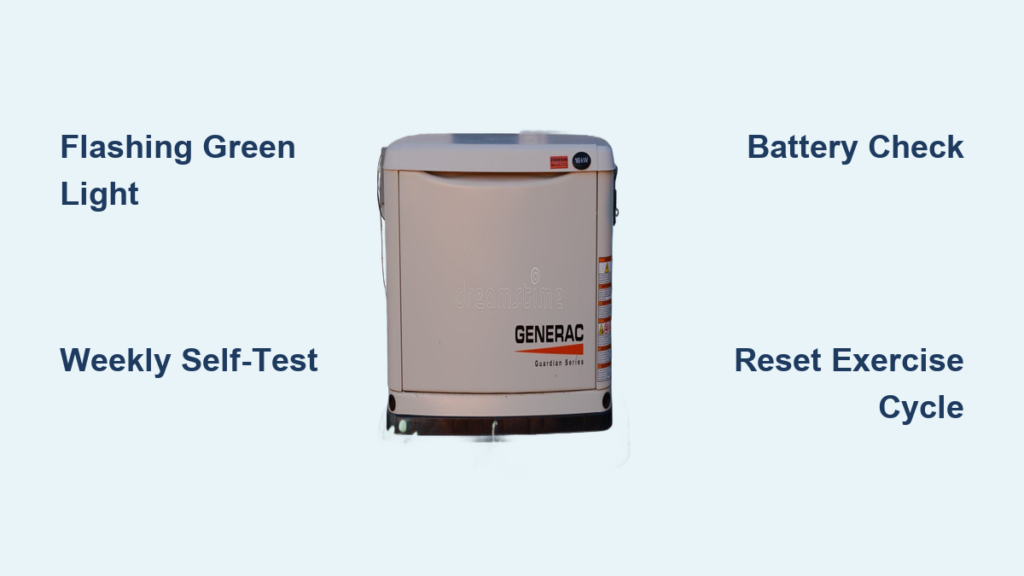
That rhythmic green pulse on your Generac generator isn’t a malfunction—it’s your backup power system performing its vital weekly self-test. Most homeowners first notice this distinctive flashing pattern on Tuesday afternoons around 2:00 PM, the factory default exercise time, sparking unnecessary concern about potential problems. Understanding what this green light signifies separates anxious homeowners from those who know their generator is simply staying ready for the next power outage.
Your Generac’s flashing green light represents one of the most important maintenance features in modern standby generators. This automated exercise cycle ensures your backup power will actually start when needed—preventing the most common generator failure scenario: discovering your unit won’t operate during an actual blackout. When that green LED begins its precise one-second pulse, you’re witnessing your generator’s built-in health monitoring system at work, circulating oil, testing starting capability, and maintaining battery charge.
Your Generac’s Weekly Self-Test Cycle Explained
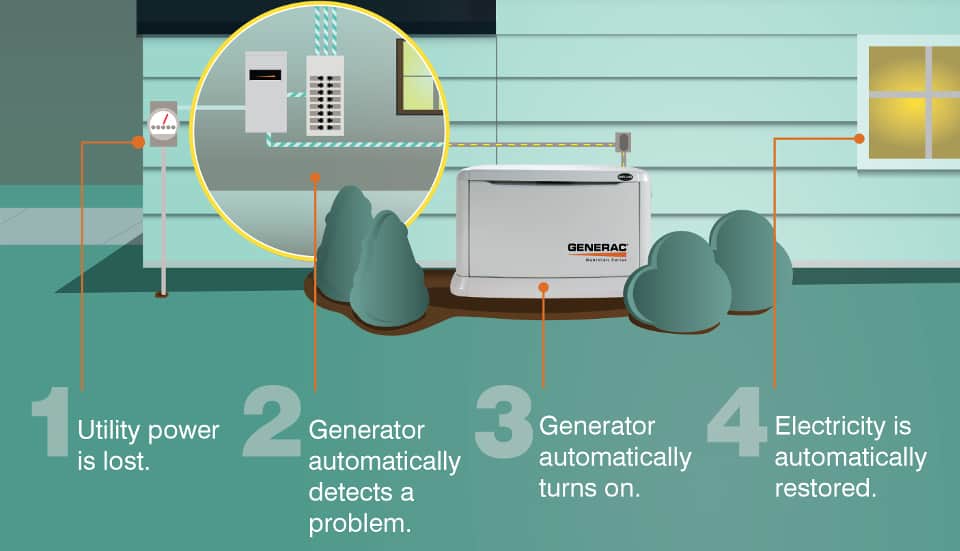
The flashing green light indicates your generator has entered exercise mode—a programmed weekly test that runs your unit without powering your home. This isn’t an error but rather a sophisticated maintenance protocol built into every Generac standby generator to ensure reliability when utility power fails.
Normal Exercise Cycle Characteristics
Standard operation timeline: 12-20 minutes depending on your specific model
Scheduled frequency: Once weekly (typically Tuesday at 2:00 PM unless reprogrammed)
Critical maintenance functions:
– Verifies engine starting capability
– Maintains proper battery charge levels
– Circulates oil to prevent component seizure
– Identifies potential failures before actual outages
During proper operation, the green LED flashes precisely once per second with no audible alarms. Your control panel should display countdown timing, engine RPM at 1800 (for 60Hz models), and normal voltage output. This automated process prevents the devastating scenario of your generator failing to start during an actual power emergency.
Spotting Abnormal Flashing Patterns
Normal indicators:
– Consistent one-second interval flashing
– Starts/stops at your programmed schedule
– Control panel shows time remaining and normal operating parameters
– Completes within 20 minutes
Warning signs requiring action:
– Flashing continues beyond 30 minutes
– Irregular pulse patterns (double flashes, random intervals)
– Accompanied by red fault light or error codes
– Generator fails to start but green light continues flashing
3-Step Verification: Is Your Generac’s Green Light Normal?
Before panicking about that flashing green indicator, follow these verification steps to determine if your generator is operating correctly or needs attention.
Confirm Your Exercise Schedule
Your generator likely follows the factory default of Tuesday at 2:00 PM unless you’ve changed it. To verify:
1. Press ESC on your control panel to activate the display
2. Navigate to SETTINGS → EXERCISE menu
3. Check the programmed day and time
If the flashing occurs outside this scheduled window, it indicates either a recent power interruption that triggered an unscheduled test or a more serious control board issue requiring investigation.
Monitor Control Panel During Exercise
While the green light flashes, your display should show:
– Countdown timer for remaining exercise time
– Engine RPM maintaining 1800 (for standard 60Hz models)
– Voltage output within normal operating range
– No error codes appearing on screen
Pro Tip: Keep a small notebook near your generator panel to record observations during exercise cycles. Noting irregularities early helps technicians diagnose problems faster if issues develop.
Why Your Generac Generator Won’t Complete Its Weekly Test

Extended flashing green light often indicates your generator attempted but failed to complete its exercise cycle. These common issues prevent successful weekly testing.
Battery Connection Failures During Exercise
Over 70% of exercise cycle failures stem from battery issues. Your generator might attempt to start but fail due to:
– Corroded terminal connections causing poor conductivity
– Loose cable clamps that vibrate during operation
– Battery age (replace every 3-5 years regardless of performance)
– Voltage dropping below 12.4V during cranking
What to check: With the generator off, inspect battery terminals for white/green corrosion, ensure clamps are tight enough that you can’t wiggle cables, and test voltage with a multimeter. A healthy battery should read 12.6V or higher when fully charged.
Fuel Supply Interruptions
Your generator requires adequate fuel to complete its weekly test. Common fuel-related exercise failures include:
– Fuel level below 25% triggering safety shutdown
– Manual fuel valve accidentally left in closed position
– Stale fuel older than 6 months (common in seasonal homes)
– Clogged fuel filters restricting flow
Critical warning: Never disable exercise mode to avoid fuel costs—this creates dangerous reliability risks. If fuel concerns are legitimate, adjust your exercise schedule to a shorter duration through your dealer.
Immediate Fixes for Extended Green Light Flashing
When your Generac’s green light continues flashing beyond the normal 20-minute cycle, these steps resolve most common issues without professional help.
Stop and Reset the Current Exercise Cycle
To safely cancel an extended exercise cycle:
1. Press OFF on your control panel
2. Wait 10 full seconds (critical for system reset)
3. Press AUTO to return to standby mode
4. Verify solid green light returns within 30 seconds
This manual intervention won’t harm your generator. The flashing green light should stop, replaced by a solid green indicator showing your unit has returned to normal standby mode.
Restart Exercise Mode After Troubleshooting
After addressing potential issues:
1. Check battery connections and voltage
2. Verify adequate fresh fuel supply
3. Inspect for error codes on display
4. Manually start generator using TEST button
5. Monitor for complete exercise cycle
If the generator starts and runs normally during manual test but still fails weekly exercises, schedule professional service to investigate control board programming.
Prevent Future Exercise Cycle Failures
Transform that weekly flashing green light from a concern into a maintenance reminder with these proactive strategies.
Monthly 5-Minute Inspection Routine
Use each exercise cycle as your maintenance trigger:
– Visual scan: Look for oil leaks, rodent nests, or physical damage
– Oil level check: Verify through sight glass (never open while running)
– Battery test: Perform quick “wiggle test” on cables for tightness
– Sound assessment: Listen for unusual knocking or whining noises
Pro Tip: Set a phone reminder for the day after your generator exercises to perform these checks when components are still warm and potential issues more evident.
Professional Maintenance Schedule
Beyond your monthly checks, schedule authorized service:
– Every 2 years or 200 operating hours (whichever comes first)
– Immediately after extended generator use (7+ days)
– Following any error codes or failed exercise cycles
Certified technicians perform comprehensive diagnostics including control board testing, fuel system cleaning, and spark plug service—critical maintenance you can’t perform yourself.
Adjusting Your Generac’s Exercise Schedule
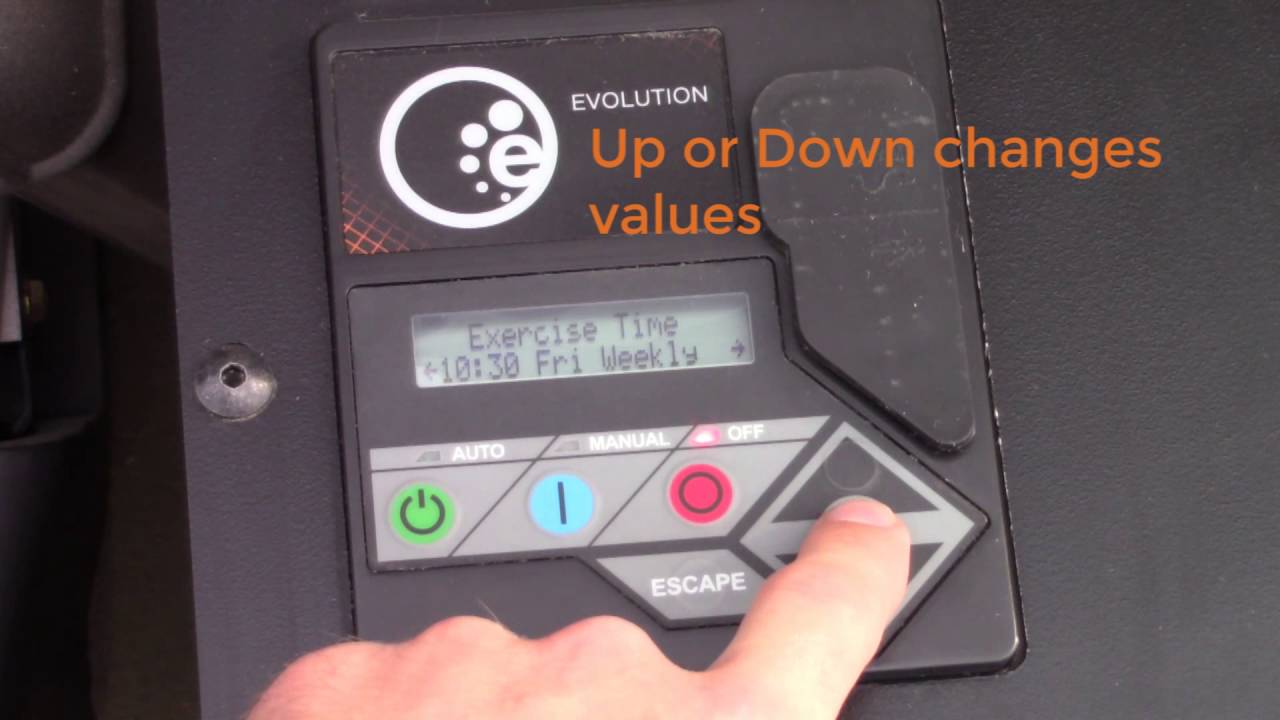
Modify when your generator tests to avoid inconvenient times while maintaining reliability.
Reprogramming Through Control Panel
To change your exercise schedule:
1. Press ESC to activate display
2. Navigate to SETTINGS → EXERCISE
3. Select preferred day and time (avoid weekends for most homeowners)
4. Press ENTER to save new settings
Best practice: Choose a weekday morning when you’re likely home to monitor the brief test cycle, but not during peak electricity usage hours.
Mobile Link App Scheduling (If Equipped)
For generators with WiFi connectivity:
– Open Generac Mobile Link app on your smartphone
– Select your generator unit from the dashboard
– Tap SETTINGS → EXERCISE SCHEDULE
– Choose optimal time (consider weather patterns in your area)
– Save changes with one tap
Important: Never disable exercise mode completely—it voids warranty coverage and dramatically increases failure risk during actual power outages.
When to Call Generac Service Immediately

Don’t wait for professional help when your generator shows these critical warning signs:
Emergency Service Indicators
Contact your authorized Generac dealer immediately if:
– Green light flashes continuously beyond 30 minutes
– Red fault light appears alongside green flashing
– Error codes E0001-E0999 display during exercise
– Generator fails to start but green light continues flashing
– Exercise cycles occur at random unscheduled times
Document before calling: Note exact error codes, duration of abnormal flashing, recent maintenance history, and fuel condition. This information helps technicians arrive prepared with correct parts.
Post-Service Verification Checklist
After professional service:
– Confirm exercise cycle completes within normal timeframe
– Verify control panel shows no lingering error codes
– Test manual start function before next scheduled exercise
– Schedule next maintenance appointment before leaving
Your generator’s flashing green light serves as its weekly health report. By understanding what it communicates and responding appropriately to abnormalities, you ensure reliable backup power when the grid fails. Remember that solid green means ready, flashing green means testing, and red means urgent attention needed—master these signals and never worry about unexpected generator behavior again.


