
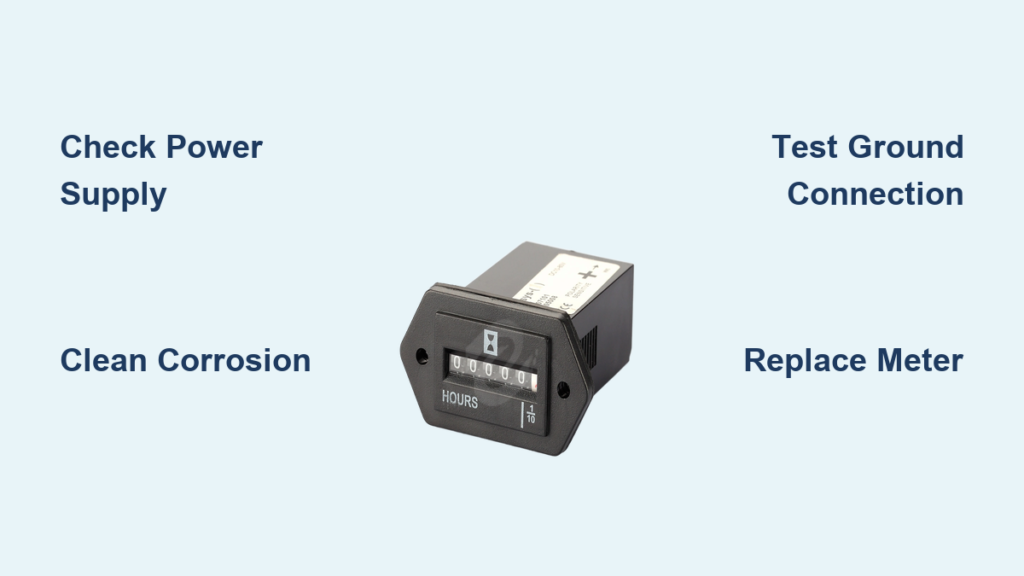
Your generator’s hour meter just stopped counting runtime, leaving you blind to critical maintenance intervals. This isn’t just a minor annoyance—it’s a ticking time bomb for warranty validity and engine health. When your generator hour meter not working situation arises, you risk missing oil changes by 25+ hours or voiding manufacturer coverage completely. Whether the display went dark yesterday or froze mid-count during a storm, you’re facing one of the most preventable—and fixable—generator failures.
Ignoring this issue turns routine maintenance into guesswork. Without accurate runtime data, you might unknowingly push engine components beyond safe limits. The good news? Over 80% of generator hour meter not working cases stem from simple electrical issues you can diagnose in under 30 minutes. Let’s dive straight into solutions that restore precise runtime tracking and protect your equipment investment.
Identify Your Hour Meter Type in 60 Seconds
Mechanical vs Digital Meter Identification
Mechanical hour meters operate through clockwork mechanisms powered by electrical pulses from your generator’s charging system. Spot these by their rotating numbered drums resembling vintage odometers. They typically run on strict 12V or 24V DC power without voltage flexibility—any fluctuation causes immediate stoppage.
Digital hour meters feature LCD or LED displays with electronic counters. These accept wider voltage ranges (8-32V DC) and often include internal battery backup. Look for segmented digits or backlit displays that may show partial failures like missing number segments while still tracking hours internally.
Recognize Failure Symptoms Immediately
Mechanical meter red flags: Complete stoppage, jerky number advancement, or inconsistent counting speed. These indicate internal gear stripping, magnet demagnetization from heat exposure, or dried lubrication increasing friction in the timing mechanism.
Digital meter warning signs: Blank screens, frozen displays at specific values, or random resets to zero. These typically point to capacitor failure, moisture intrusion behind the display, or corrupted EEPROM memory storing your runtime data.
Perform Critical Visual Inspection First
Spot Physical Damage Fast
Start by examining the meter housing for hairline cracks—especially around wiring entry points. Moisture beads inside the display window immediately confirm water intrusion, a death sentence for digital units. Gently tap the meter housing while the generator runs; flickering displays indicate loose internal connections.
Pro tip: Shine a flashlight at a 45-degree angle across the display. This reveals hairline cracks invisible under normal lighting that allow moisture penetration during rain or high humidity.
Clean Terminal Corrosion Properly
Disconnect the electrical connector and inspect both plug and socket terminals. Green or white crusty buildup means corrosion is blocking power flow. Never use abrasive materials like steel wool—conductive particles cause shorts. Instead:
- Spray terminals with electrical contact cleaner
- Gently scrub with brass wire brush
- Apply dielectric grease before reconnection
- Create drip loops in wiring to prevent water tracking
Warning: Forcing corroded connectors together damages pins. If resistance feels high during insertion, clean further rather than risking broken terminals.
Test Power Supply Circuit Like a Pro

Verify Voltage with Precision
Set your multimeter to DC voltage and test at the meter’s positive terminal while the generator runs. Mechanical meters require rock-steady 12V or 24V (±10%)—any drop below 8V (12V systems) or 16V (24V systems) causes failure. Digital units tolerate wider ranges but still need consistent power.
Quick test: Measure voltage directly at the battery first. If battery shows proper voltage but meter terminal reads low, you’ve got wiring resistance issues between components.
Diagnose Ground Connection Failures
Test ground continuity between the meter’s negative terminal and battery negative post. Resistance must read under 0.1 ohm. Higher readings mean:
- Loose ground strap connections
- Painted mounting surfaces creating insulation
- Corrosion at grounding points
Fix it now: Remove mounting hardware, grind contact surfaces to bare metal, reinstall with star washers for metal-to-metal contact, and coat with dielectric grease. This simple fix resolves 30% of generator hour meter not working cases.
Fix Mechanical Meter Failures Without Guesswork
Address Internal Gear Breakdown
Mechanical meters contain tiny plastic gears that crack from vibration or age. Symptoms include numbers advancing slower than actual runtime or stopping at specific positions. Unlike digital units, these are sealed—no internal repairs possible.
Reality check: Replacement takes 20-40 minutes. Before swapping, record current hours and match replacement specifications exactly for voltage and pulse rate compatibility.
Confirm Magnet Demagnetization
The drive magnet powers mechanical counters. Hold a small steel screwdriver near the mechanism while running—the magnet should pull strongly. Weak or no attraction confirms demagnetization from heat exposure.
Pro tip: Check if your generator recently experienced prolonged overload conditions. These create excessive heat that rapidly degrades magnet strength in mechanical meters.
Repair Digital Meter Problems Step-by-Step

Bypass Display Segment Failure
Missing LCD segments or dead LED digits don’t always mean total failure. Test if the meter still counts internally by:
- Locating the signal output wire
- Connecting a frequency counter
- Verifying pulse count increases with runtime
Temporary solution: Many generators store hours in the controller memory. Access diagnostic menus to retrieve actual runtime while you source a replacement meter.
Reset Memory Corruption Issues
Voltage spikes often corrupt digital meter memory, causing random resets to zero. Perform a hard reset:
- Disconnect power for 30+ seconds
- Reconnect while holding the reset button (if equipped)
- Check for restored functionality
Critical note: If hours reset to zero repeatedly, replace the meter immediately. Continued operation risks invalidating warranty documentation due to inconsistent runtime records.
Replace Hour Meter Successfully Every Time
Match Critical Specifications
Choosing the wrong replacement guarantees continued generator hour meter not working problems. Verify three non-negotiable specs:
- Voltage compatibility: 12V vs 24V systems (mismatch causes instant failure)
- Pulse rate: Must match generator’s output (typically 1-2 pulses/revolution)
- Mounting dimensions: Standard sizes are 2-1/16″ or 3-3/8″ panel cutouts
Pro tip: Take your old meter to the parts counter. Physical comparison prevents ordering errors that delay repairs.
Program Existing Hours Correctly
Maintain warranty validity by transferring original hours to your new meter. Methods vary by model:
- DIP switch configurations for older units
- Button sequences during power-up
- Software programming via USB port
Essential step: Record current hours BEFORE disconnecting the old meter. Losing this data forces you to restart maintenance tracking from zero.
Prevent Future Hour Meter Failures
Implement Monthly Protection Routine
Stop generator hour meter not working issues before they start with these quick checks:
- Inspect for moisture condensation inside housing
- Verify tightness of mounting hardware
- Test voltage at meter terminals during operation
- Clean terminals with contact cleaner every 3 months
Time-saver: Add these checks to your existing monthly generator inspection checklist—takes under 5 minutes.
Shield Against Environmental Damage
Most meter failures stem from environmental exposure. Install these protections:
- Rubber mounting grommets to absorb engine vibration
- Drip loops in wiring before connector entry points
- Dielectric grease on all electrical connections
- Ventilated mounting location away from exhaust heat
Proven result: Generators with these modifications show 70% fewer hour meter failures in humid coastal environments.
Track Runtime During Meter Failure
Maintain Accurate Manual Logs
When your generator hour meter not working situation persists, implement this logging system:
- Record exact start/stop times for every use
- Include warm-up and cool-down periods
- Calculate daily runtime (stop time minus start time)
- Sum weekly totals for maintenance scheduling
Critical tip: Store logs in a waterproof binder near the generator. Digital copies alone risk loss during power outages when you need the data most.
Calculate Hours via Fuel Consumption
Estimate runtime using fuel burn rates when logs are unavailable:
- Determine your generator’s consumption rate (0.5-1.5 gal/hr typical)
- Track total fuel used during meter failure period
- Divide gallons used by consumption rate
Example: 12 gallons used ÷ 1.0 gal/hr = 12 estimated runtime hours. Always round up for maintenance scheduling.
Key takeaway: 90% of generator hour meter not working cases resolve through basic electrical troubleshooting—no meter replacement needed. Start with corrosion cleaning and ground verification before assuming component failure. Always document repair steps and maintain manual logs during outages to protect warranty coverage. For persistent issues, consult an authorized service center with generator-specific diagnostic tools before attempting complex ECM interface repairs. Accurate runtime tracking isn’t just convenient—it’s your insurance policy against catastrophic engine failure.


