Your generator starts perfectly, the engine purrs like a kitten, but your lights flicker like a horror movie and your expensive equipment keeps shutting down. Nine times out of ten, the culprit is the Automatic Voltage Regulator (AVR)—the silent guardian that keeps your power steady. This guide walks you through exactly how to check your generator’s AVR without frying yourself or your equipment. Knowing how to check generator AVR saves costly service calls and prevents catastrophic voltage failures that could destroy your connected appliances.
Locate Your Generator’s AVR Based on Type
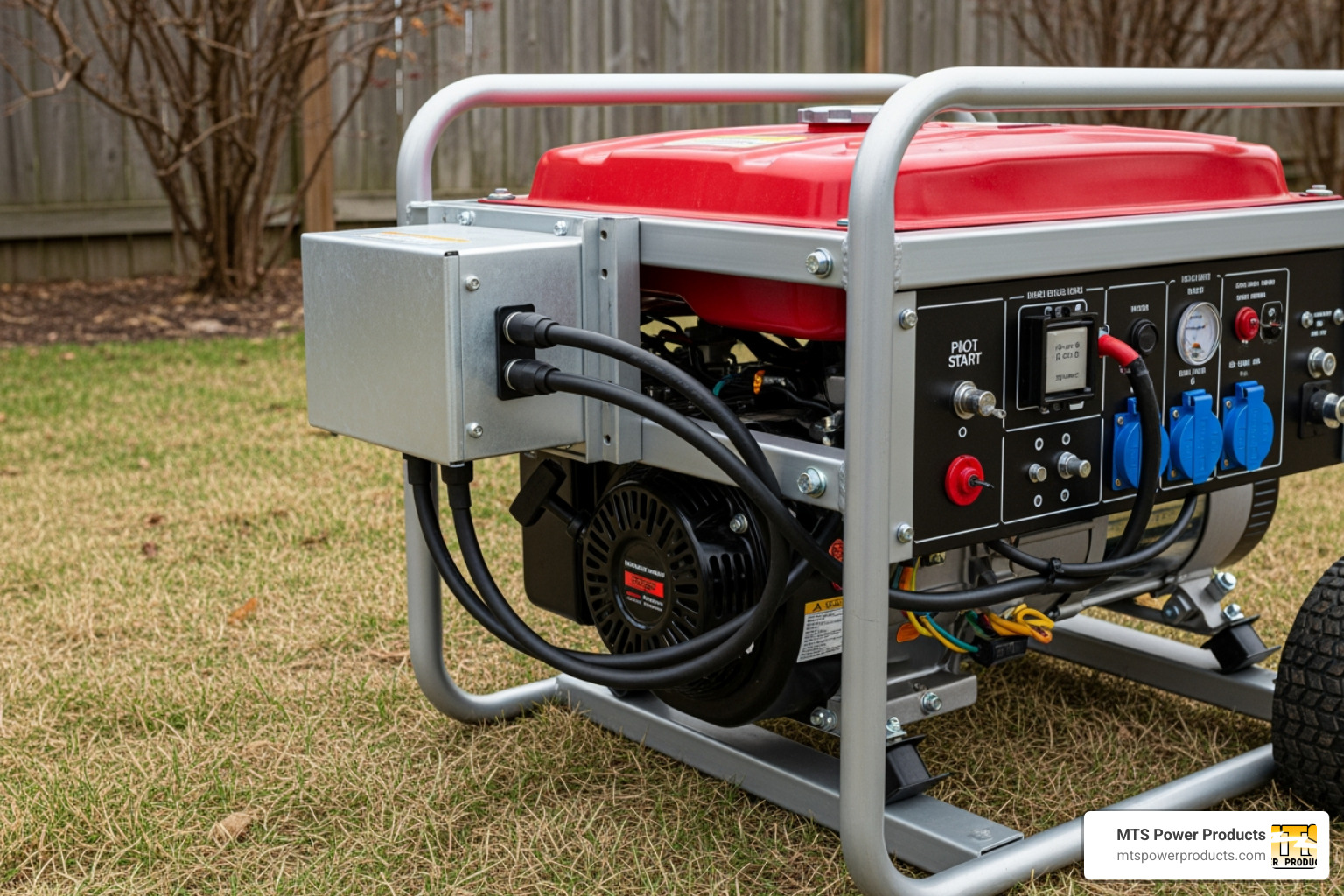
Before testing anything, you must find where your generator hides the AVR—this varies dramatically by unit size and manufacturer.
Commercial generators (15-50kW): Open the main control box mounted directly on the generator frame. Your AVR appears as a rectangular component with multiple wire connections, typically labeled “AVR” or “Voltage Regulator.” These units often have LED indicators that show operational status.
Industrial units (50kW+): Check the alternator terminal box—a rectangular housing on the side of the generator head. The AVR sits here alongside other control components. You’ll typically see multiple terminal blocks with F1, F2, and sensing wire labels.
Portable generators (2-10kW): Remove the rear cover of the alternator assembly. The AVR is a small rectangular component mounted directly on the alternator housing, often with a heat sink attached. On these compact units, the AVR frequently integrates with the capacitor assembly.
Why location matters for accurate testing
Knowing exactly where your AVR lives determines your access points for testing. Portable generator AVRs usually have exposed terminals, while industrial units may require removing protective covers. Always consult your specific generator’s wiring diagram before proceeding—misidentifying terminals can cause permanent damage.
Critical Safety Steps Before Touching Any Components

Never skip these precautions—240 volts can kill, and generators don’t forgive mistakes. Safety must be your priority when learning how to check generator AVR.
Before touching anything:
– Shut down the generator completely and let it cool for 30 minutes
– Disconnect the spark plug wire on gasoline models
– Wear insulated gloves rated for 600V minimum
– Use tools with insulated handles
– Keep one hand in your pocket when testing live circuits
Essential warning about hidden dangers
Modern AVRs can retain dangerous voltages even when the generator is off. Always test with a multimeter before touching terminals. If you detect voltage after shutdown, wait 15 minutes and retest—capacitors inside the AVR need time to discharge. Never work alone when testing high-voltage components.
Perform Visual Inspection for Obvious Failure Signs
A 60-second visual check can save hours of testing and immediately answer how to check generator AVR problems.
Corrosion check: White or green powder on terminals means moisture intrusion. Clean connections with electrical contact cleaner and a soft wire brush. Pay special attention to F1 and F2 excitation terminals—corrosion here disrupts voltage regulation.
Connection test: Gently tug each wire—if any pull loose, that’s your problem. Tighten connections to manufacturer specifications using a torque wrench. Loose connections cause erratic voltage that mimics AVR failure.
Damage scan: Cracks in the AVR housing, burnt spots, or swollen components indicate immediate replacement needed. A burnt smell confirms internal failure—do not operate the generator until replacement.
Test AC Output Voltage Under Load Conditions
This fundamental test reveals whether your AVR maintains proper voltage when it matters most.
Setup procedure:
1. Start your generator and let it warm up for 5 minutes
2. Set your digital multimeter to AC voltage (600V range minimum)
3. Connect the red probe to the main output terminal (L1 or 120V)
4. Touch the black probe to the neutral terminal
What normal readings look like:
– 120V system: Steady 115-125 volts
– 240V system: Consistent 220-245 volts
– Three-phase systems: Balanced readings within 5 volts between phases
Pro tip: Always test under load. Plug in a 1500W space heater—a failing AVR often shows normal voltage at no load but drops dramatically when demand increases. Voltage fluctuation exceeding 10 volts under steady load confirms AVR issues.
Measure Excitation Voltage at F1 and F2 Terminals

This test reveals whether the AVR sends the correct signal to the generator’s field windings—the heart of how to check generator AVR functionality.
Step-by-step measurement:
1. Locate exciter field terminals F1 and F2 using your wiring diagram
2. Switch multimeter to DC voltage (20V range)
3. Connect probes to F1 and F2 while generator runs
4. Observe readings for at least 30 seconds
Interpretation guide:
– Normal operation: Fluctuating DC voltage between 2-30 volts as AVR adjusts
– Complete failure: Zero voltage reading indicates dead AVR
– Dangerous failure: Stuck at maximum voltage (28-30V) causes overvoltage
– Partial failure: Erratic readings mean AVR struggles to regulate
Critical note about excitation systems
Your generator uses one of three excitation systems: self-excited (shunt), PMG (Permanent Magnet Generator), or auxiliary winding. PMG systems maintain excitation regardless of output load—common in hospitals and data centers. Self-excited units rely on residual magnetism and often need field flashing when AVR fails.
Execute Field Flashing Test to Confirm AVR Failure
When your generator produces no power at all, this test separates AVR failure from deeper problems—essential knowledge for how to check generator AVR properly.
Warning: Incorrect field flashing destroys windings. Follow these steps precisely:
- Shut off generator and disconnect spark plug
- Disconnect AVR wires from F1 and F2 terminals
- Using insulated jumper cables, connect 12V battery positive to F1
- Connect negative to F2
- Hold connection for exactly 1-2 seconds only
- Remove battery and reconnect AVR wires
- Restart generator and test AC output
What the results mean:
– Voltage returns to normal: Your AVR has failed but generator components are healthy
– Still no voltage: Problem lies deeper—possibly brushes, windings, or loss of residual magnetism
– Voltage too high: AVR failed in “full on” position—replace immediately
Recognize When Replacement Beats Repair
Most modern electronic AVRs aren’t user-repairable—they’re sealed units with microprocessors. Replace your AVR if you observe any of these definitive failure signs:
Immediate replacement needed:
– Voltage exceeding 130V on 120V systems (fire hazard)
– Burnt smell or visible damage to AVR housing
– Physical cracks or melted components
– Consistent voltage readings 20% above or below normal
Consider replacement:
– Generator over 7 years old with intermittent voltage issues
– AVR showing corrosion despite cleaning
– Multiple voltage-related equipment failures
Precise replacement specifications matter
Choosing the wrong AVR can destroy your generator. Verify these critical specs before purchasing:
– Exact generator kW rating compatibility (5kW AVR on 10kW generator fails quickly)
– Correct field current output (check manual for exact amps)
– Single vs three-phase sensing capability
– Environmental protection rating (marine units need conformal coating)
Implement Preventive Maintenance to Extend AVR Life
Most AVR failures are preventable with basic maintenance—critical for anyone learning how to check generator AVR before problems occur.
Monthly routine:
– Visual inspection for loose connections during exercise runs
– Clean dust from cooling fins with compressed air
– Check for unusual heat buildup during operation
Every 200 operating hours:
– Full voltage output test under load
– Excitation voltage measurement
– Terminal cleaning and retightening to spec
Pro tip: Critical facilities should replace AVRs proactively every 7-8 years regardless of performance. The $200-$500 cost prevents thousands in downtime during emergencies.
Quick Troubleshooting Reference Table
| Symptom | First Check | Likely Fix |
|---|---|---|
| No power output | Field flashing test | Replace AVR if test passes |
| Lights flickering | Excitation voltage | Replace AVR if fluctuating |
| High voltage reading | Shut down immediately | Replace AVR |
| Voltage drops under load | Load test results | Replace AVR if >10V drop |
| Intermittent power | Connection inspection | Clean/tighten or replace AVR |
Emergency protocol: If voltage exceeds 130V or drops below 100V, shut down immediately. Running a generator with failed AVR can destroy every connected appliance and create fire hazards.
Your AVR is the difference between reliable backup power and expensive equipment damage. These tests take 15 minutes but save thousands in repairs. When in doubt, replace rather than risk—it’s the cheapest insurance your generator will ever have. Mastering how to check generator AVR puts you in control of your power reliability, eliminating guesswork when your equipment depends on stable electricity.